
ESET Mobile Security Antivirus
ESETTools
4.722.39K Reviews
- Version
- 12.0.17.0
- Installs
- 10.00M
- Age Rating
- Everyone
Screenshots
Our Review of ESET Mobile Security Antivirus
 Analysis by Appyee
I choose a mobile security app by asking a practical question: will it help me make safer decisions without turning everyday phone use into a chore? That means looking beyond the promise of antivirus protection. I want to know whether the app suits the way I browse, install apps, and handle a misplaced phone, and whether its extra controls are useful enough to justify learning another set of settings.
ESET Mobile Security Antivirus is a tools app from ESET, and its appeal is the combination of device protection and hands-on security controls. It is free to install, with in-app purchases ranging from $1.49 to $99.99 per item. The age rating is Everyone, and the app has a 4.7 average from around one million ratings, with about 22,000 written reviews and over 10 million installs. Those figures suggest it has reached a broad audience, but they do not tell me whether its particular mix of features fits your habits.
Start with the risks you actually face
If most of your phone use involves familiar apps and routine browsing, you may not need to spend much time inside a security dashboard. If you regularly open links from messages, install apps from different sources, or keep personal information on your phone, layered checks can be more useful. I would choose this app for the combination of scanning, anti-phishing protection, and tools for responding if the phone goes missing—not simply because an antivirus label sounds reassuring.
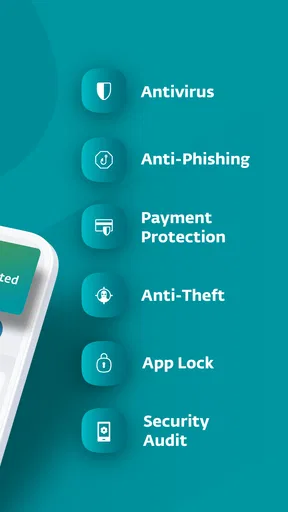
One useful way to judge it is to separate prevention from recovery. Scanning and phishing alerts are intended to help you avoid trouble; anti-theft controls matter after a device is lost or stolen. App Lock, Security Audit, and Network Inspector address still different concerns. Having several kinds of tools in one app can make it easier to check your security in one place, but it also means you should decide which controls you will really use rather than enabling options just because they are available.
First Impressions and Setup
Getting started with ESET Mobile Security Antivirus was a breeze. The download and installation process was pretty smooth and didn’t leave me staring at my screen for ages. Once you launch it, you’re greeted with a clean and straightforward interface. It's not cluttered, which I absolutely appreciate because who has the time to dig through endless menus?
Setting it up is straightforward. The app walks you through the initial setup with a friendly introduction, which is super helpful if you’re not exactly a tech wizard. You can choose between a free version and a premium one. I went with the premium to get a full experience, and trust me, it was worth it. But more on that later!
The Features That Stand Out
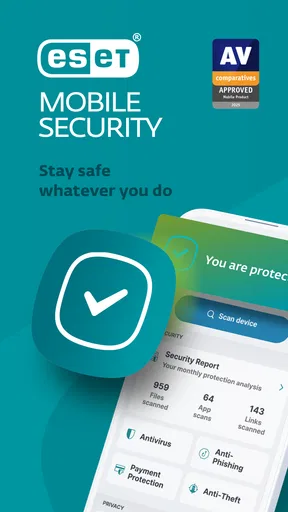
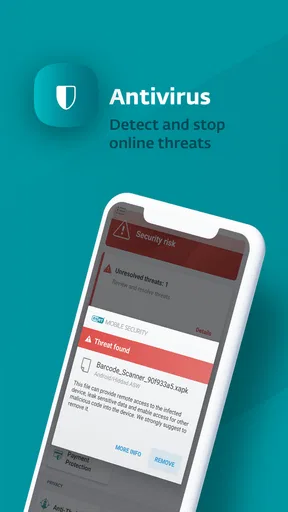
Alright, so let's talk features. First off, the antivirus scans are top-notch. You can do quick scans, full scans, or even schedule scans, which means you can set and forget while the app does its magic in the background.
A good first routine is to run a full scan when setting up the app, then use the scan controls when you have a reason to check a download or recent installation. Scheduled scans suit people who would otherwise forget to check manually, but they are not a replacement for being careful with links and app sources. I would also avoid treating a clean scan as proof that every website or message is safe: security tools reduce risk, rather than remove the need for judgement.
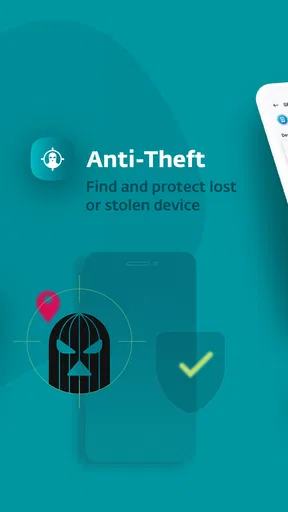
One feature that really caught my eye is the Anti-Theft system. It's like having a little detective in your pocket. If your phone ever goes missing, you can track it, lock it, or even wipe it remotely. It's a lifesaver for those of us who tend to misplace our devices.
Anti-theft features are most helpful when you think through the stressful moment before it happens. I would check how the controls are reached and make sure I know what information I would need to act, rather than waiting until the phone is already gone. Remote wiping is a serious last-resort choice: it may protect private information, but it is not the first step I would take if I simply left the phone somewhere and still hoped to recover it. Locking and locating are more appropriate first moves when recovery remains realistic.
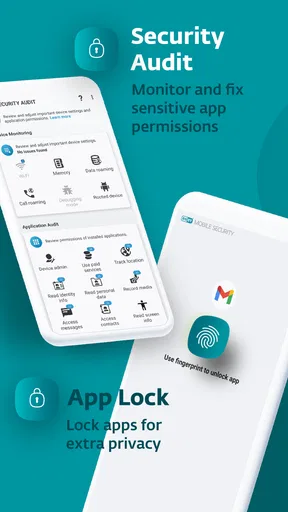
Now, let’s not forget the App Lock feature. This is a game-changer for keeping prying eyes away from your sensitive apps. You can lock apps with a PIN or a fingerprint, which adds an extra layer of security.
App Lock is especially practical on a shared device, or when you hand your phone to someone to show a photo, check a map, or make a call. I would use it selectively for apps that expose private conversations or account details, rather than locking everything. Each extra prompt adds friction, and protecting a small number of sensitive apps is more likely to remain convenient than turning every launch into another authentication step.
Performance and Usability
So, how does it perform? In my experience, the app runs smoothly without bogging down my phone, which is a significant plus. Some antivirus apps can be resource hogs, but not this one. It’s designed to work quietly in the background without causing a slowdown.
That low-friction feel matters most when protection is something you want to leave switched on and forget about. Still, I would pay attention to how the phone feels after setup, especially if it is an older or already busy device. If a scheduled scan happens at an inconvenient time, adjust the routine rather than abandoning scans altogether. A security app only helps consistently when its checks fit your normal use.
As for usability, the interface is intuitive. Everything is neatly organized, making it easy to navigate. Whether you’re checking on the status of a scan or tweaking settings, it’s all just a tap away.
Security and Privacy
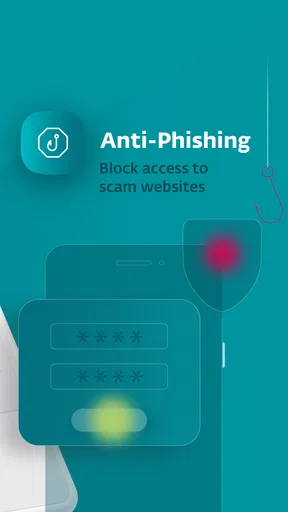
When it comes to security, ESET Mobile Security doesn’t mess around. The app provides real-time protection against malware and phishing, which is crucial in today’s digital world. Plus, the anti-phishing feature alerts you to any suspicious websites trying to steal your info.
For me, phishing protection has its clearest everyday value when a message creates urgency: a delivery notice, account warning, or payment prompt that asks me to tap quickly. I still check the sender and destination before acting, because an alert is one layer of defence, not a reason to stop thinking. If you often follow links from texts or email, this kind of protection may matter more to you than running repeated manual scans.
Your privacy is also well-guarded. The app doesn’t require unnecessary permissions, and they have a clear policy about what data they collect and why.
Security Audit and Network Inspector give the app a broader role than simply checking files. I would use the audit as a periodic prompt to review device settings, and Network Inspector when connecting to a Wi-Fi network I do not manage myself. Those checks are most valuable when they lead to a concrete decision—such as reconsidering a setting or avoiding sensitive activity on an unfamiliar connection—not as a reason to assume every risk has disappeared.
Premium vs. Free: Is It Worth the Upgrade?
So, the big question: should you go premium? The free version is pretty solid, offering basic antivirus and anti-theft features. However, the premium version ups the ante with advanced features like the App Lock, Proactive Anti-Theft, and scheduled scans.
I would start by identifying the premium tools you expect to use. If you mainly want basic scanning, the free option may be enough to try the app and see whether its interface suits you. If App Lock, scheduled checks, or the more proactive anti-theft controls solve a real problem in your routine, paying for access can make more sense. The available in-app purchase prices span a wide range, so check the specific option shown in the app before deciding; I would not assume every purchase offers the same duration or feature set.
If you’re serious about keeping your phone secure and want peace of mind, the premium version is definitely worth the investment. Plus, it doesn’t cost an arm and a leg, which is always nice!
The app also offers a few bonus features like a Security Audit, which checks for vulnerabilities, and Network Inspector for monitoring your Wi-Fi network. These extras are like the cherry on top, giving you comprehensive protection.
When another approach may suit you better
Compared with relying only on the built-in protections that come with a phone, ESET puts scanning and several security checks in one dedicated app. That can be appealing if you prefer a visible place to review your device’s status. On the other hand, someone who wants the fewest extra apps and already follows cautious browsing habits may prefer to use the phone’s existing security settings and avoid another dashboard to maintain.
It also differs from narrowly focused tools. A standalone app locker may be a better fit if your only concern is keeping particular apps private, while a device-finding option may be sufficient if locating a lost phone is your sole priority. ESET’s advantage is breadth; its trade-off is that some users will have little reason to use every part of that toolkit. I would not install it expecting it to replace sensible account security, careful link handling, or backups.
There is a small but important cost to switching: time spent learning which protections are enabled, deciding which alerts deserve attention, and setting up a routine you will actually keep. If you move from another security app, I would avoid running overlapping tools without a reason. Two dashboards can create duplicate prompts and make it less clear which app is responsible for a warning. Choose one main security workflow, test it, and keep only the controls that make your phone safer without making ordinary use irritating.
Who I would recommend it to
I would recommend ESET to someone who wants more than a one-off scan and values having anti-phishing, anti-theft, and privacy-oriented checks together. It is a sensible candidate for people who travel with their phone, use it for personal accounts, or occasionally lend it to family and want selected apps behind an extra lock. Its free starting point also makes it easier to judge the basic experience before paying for features.
I would skip it if you are looking for a guaranteed fix for unsafe habits, or if you dislike security prompts and know you will ignore them. It may also be more than you need if all you want is a way to locate a phone or protect one app. In those cases, a simpler built-in option or a single-purpose tool may be easier to live with. The best choice is the one whose protections you understand and keep enabled, not the one with the longest feature list.
Wrapping It Up
All in all, ESET Mobile Security Antivirus is a robust app that ticks all the boxes for security on your mobile device. Whether you’re using the free version or have decided to go premium, you're getting a reliable companion to keep your digital life safe.
If you're on the lookout for an app that combines simplicity with powerful security features, this one might just be your perfect match. Give it a try, and let me know what you think!
ESET has kept the app current through version 11.2.2.0; it first arrived on August 5, 2013, and its minimum OS requirement is Android 9. Those details matter when checking compatibility before installing, especially if you are setting it up on an older handset. The age rating is Everyone, but I would still explain App Lock and remote wiping to anyone else who uses the phone so they know what the controls do.
My practical recommendation is to begin with a scan, review the settings you are comfortable using, and decide whether the premium tools solve a specific need before purchasing. For a busy day, that might mean letting a scheduled scan handle routine checking, using App Lock for a sensitive messaging app, and keeping remote anti-theft actions in mind in case a phone is lost on the commute. For someone who wants only basic protection with no extra decisions, the simpler route may be preferable. For someone who wants several safeguards gathered in one place, ESET is worth trying.
Verdict
Strengths of ESET Mobile Security Antivirus
- Comprehensive malware protection.
- User-friendly interface and design.
- Real-time scanning and updates.
- Anti-theft features included.
- Minimal impact on device performance.
Limitations of ESET Mobile Security Antivirus
- Some features require a premium subscription.
- Occasional false positives in scans.
- Limited VPN features compared to competitors.
- Setup can be complex for beginners.
- Ads in free version can be intrusive.
Similar Picks in This Category
View All
Google LLC4.0

Gboard - the Google Keyboard
Google LLC4.5

Google Play services
Google LLC4.3

Google Play Store
Google LLC4.9

Files by Google
Google LLC4.5

SHAREit: Transfer, Share Files
Smart Media4U Technology Pte.Ltd.4.3
Frequently Asked Questions
What features does ESET Mobile Security Antivirus offer?
ESET Mobile Security Antivirus provides a comprehensive suite of tools designed to protect your device from various threats. Key features include real-time scanning, anti-phishing measures, app locking, and call blocking. It also offers anti-theft capabilities that allow you to remotely locate, lock, or wipe your device if it's lost or stolen.
Is ESET Mobile Security Antivirus free to use?
ESET Mobile Security Antivirus offers a free version with basic functionality, including antivirus scanning and security reports. However, to unlock premium features such as anti-phishing, proactive anti-theft, and advanced app protection, a subscription is required. Users can choose between monthly or annual payment plans for the premium version.
How does ESET Mobile Security Antivirus impact device performance?
ESET Mobile Security Antivirus is designed to run efficiently in the background, minimizing its impact on device performance. The app is optimized to use minimal system resources, ensuring that your device remains fast and responsive while still providing robust protection against malware and other threats.
How effective is ESET Mobile Security Antivirus in detecting threats?
ESET Mobile Security Antivirus is highly rated for its threat detection capabilities, utilizing advanced algorithms and a frequently updated database to identify and neutralize both known and emerging malware. It consistently scores well in independent lab tests for its effectiveness in providing strong, real-time protection for mobile devices.
What platforms are supported by ESET Mobile Security Antivirus?
ESET Mobile Security Antivirus is available for both Android and iOS platforms. Each version is tailored to the specific security needs of the respective operating system, ensuring comprehensive protection whether you're using a smartphone or tablet. It is important to check compatibility with your device's operating system version before downloading.
